 Quiren
Stowo Pro
Group your apps and hide them all at once
When several apps get in your way, hiding and restoring them one by one gets tedious. Pro lets you add as many apps as you like and handle them together in one go.
One-time payment · No subscription · Up to 2 PCs
Free vs. Pro
| Free | Pro | |
|---|---|---|
| Apps you can add | 2 | Unlimited |
| Group apps and hide them at once | No | Yes |
| Restore password | Yes | Yes |
| Hide methods, timers, and Restore delay | Yes | Yes |
Hide by group
Add the apps you want to hide to a group. Click the group's Hide button to hide all their shortcuts at once, or Restore to bring them back.
01Put several apps in one group
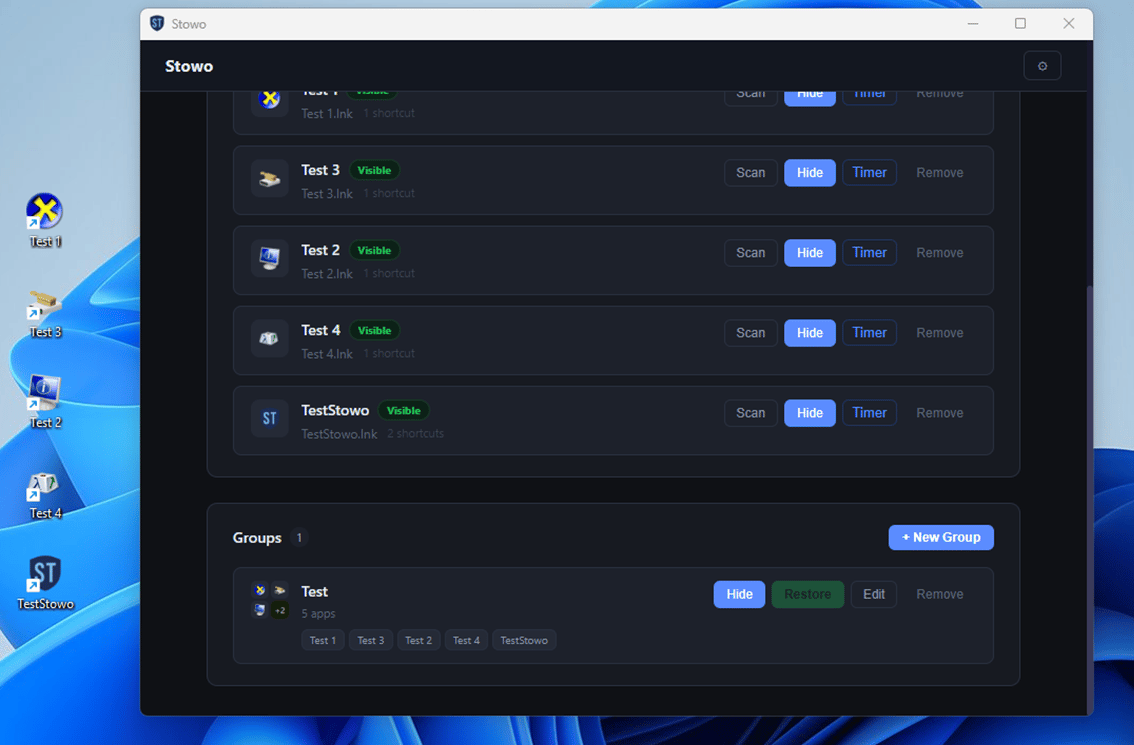
Three apps in one group, all Visible
02Hide them all at once
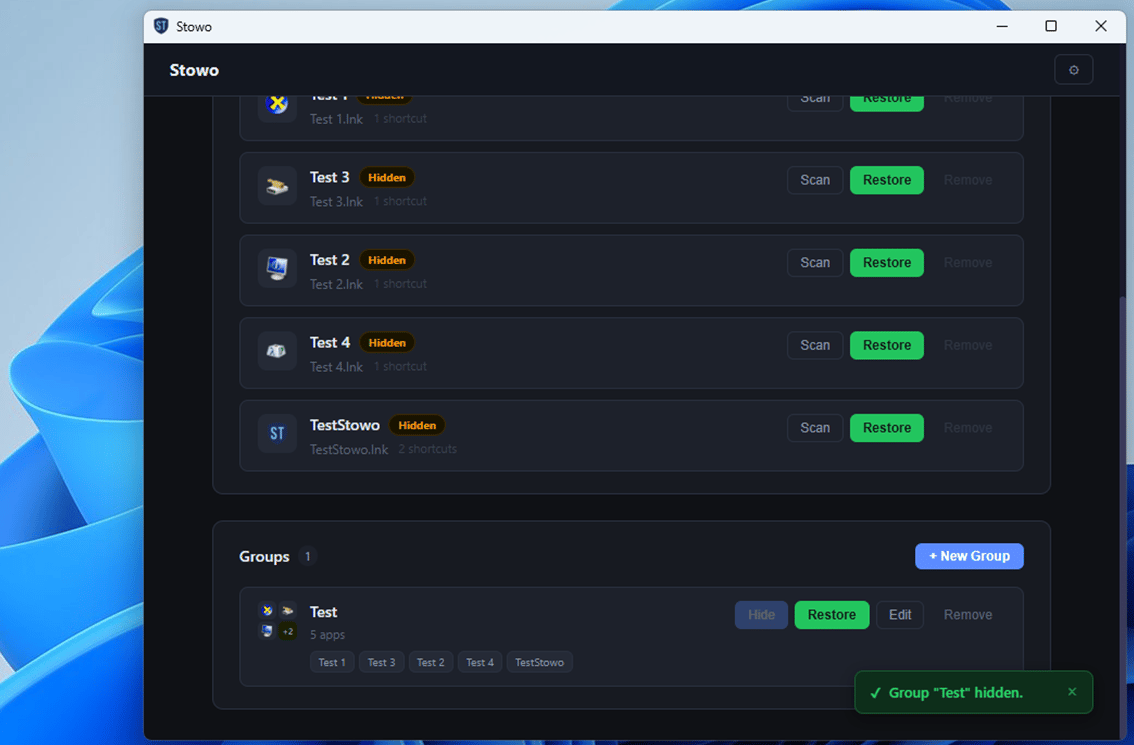
One press of the group's Hide button hides all three. One press of Restore brings them back
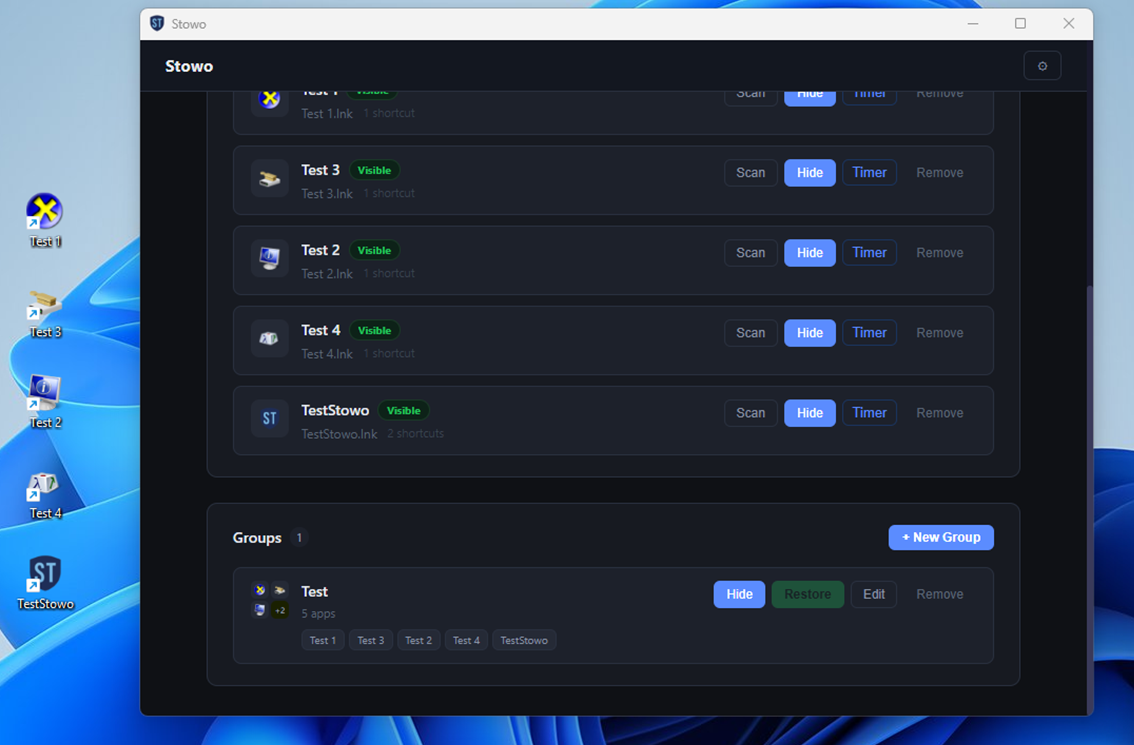
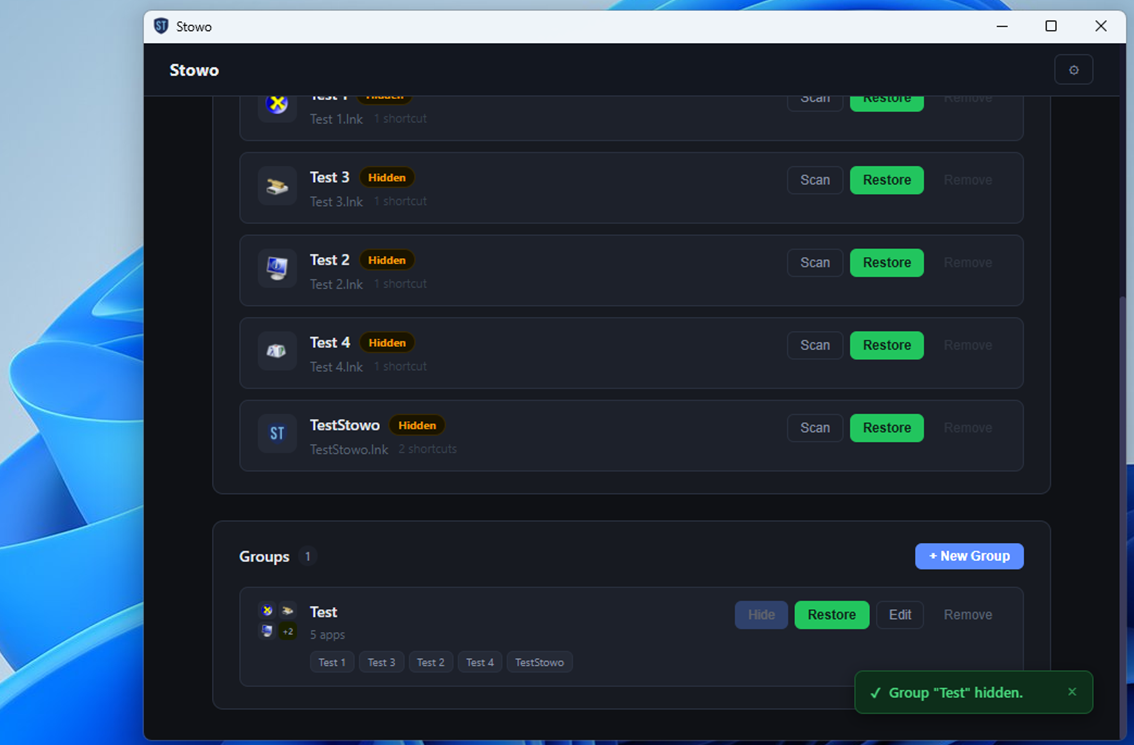
The “Test” group contains example shortcuts created for these screenshots.
After you buy
01
Pay
Lemon Squeezy handles the payment as the seller. Your card details are never stored in Stowo.
02
Get your license key
After payment, you're taken to an activation page with your license key. The same key is also sent to you by email.
03
Activate
If Stowo is installed, the app opens and turns Pro on. If it doesn't open on its own, copy the key and enter it in Settings.
- One license key can be active on up to 2 PCs. See the Terms of Use for details.
- You can ask for a refund within 14 days of purchase. The conditions are in the Terms of Use.